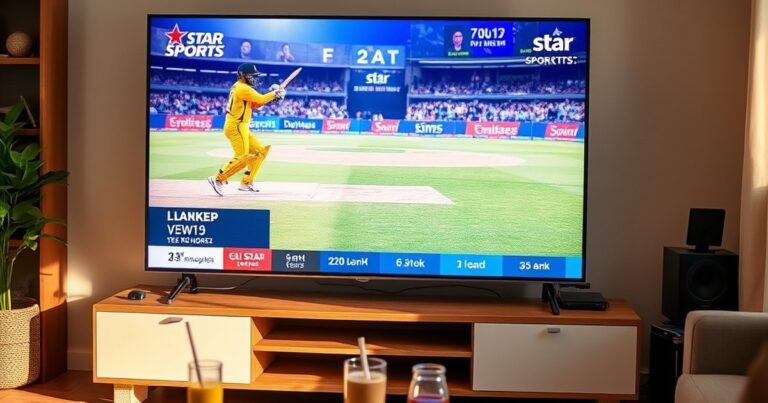
Watching live Indian sports on a smart TV used to mean a satellite dish, a Tata Play subscription, or some clunky set-top box stuck behind the screen. None of that is necessary anymore. If your TV has a browser — or even just an HDMI port — you can stream Star Sports, Sony Ten, IPL feeds, and dozens of other Indian sports channels straight onto the big screen for free. No app store hunt, no monthly bill, no VPN.
This guide walks through every working method, what your TV actually needs, and how to fix the buffering problems that catch most people out.
What you need before you start streaming
Before you fire anything up, run a quick check on your hardware and connection. Browser-based streaming is forgiving, but a few basics still matter.
- A smart TV with a built-in browser (Samsung Tizen, LG webOS, Android TV, Fire TV) — or an HDMI input you can plug a laptop into.
- A stable broadband connection. Aim for at least 5 Mbps for SD, 8–10 Mbps for HD, and 15–25 Mbps for 4K. Live sports streams use more bandwidth than on-demand video because they cannot pre-buffer ahead.
- Casting support (Chromecast or AirPlay) if your TV’s browser is older and struggling with modern video codecs.
Bitrate is the part most people overlook. Cricket and football streams push a lot of motion, and a weak Wi-Fi signal will make adaptive bitrate algorithms downgrade quality to keep things playing. Wired Ethernet beats Wi-Fi every time if your TV has the port.
The good news: because VividTV uses HTTP Live Streaming (HLS), there’s nothing to install. No firmware-locked app, no rooted Fire Stick, no VPN to spoof a country. The stream plays in any modern browser the same way YouTube does.
The browser method works on almost every smart TV
This is the simplest route and the one I’d try first. Modern Samsung and LG browsers handle HLS natively, which means you can skip plugins entirely.
- Open the web browser on your smart TV (Samsung Internet, LG Web Browser, or Chrome on Android TV).
- Type vividtv.live into the address bar.
- Pick a category — Sports, Cricket, or Live Events — and tap the channel you want.
- Hit full-screen on the player and you’re watching.
HLS adaptive bitrate is doing the heavy lifting behind the scenes. As your bandwidth dips or recovers, the player swaps between quality rungs (say, 1080p down to 720p) without dropping the stream. That’s why a sudden buffering pause is usually a network problem rather than a website problem.
You’ll find the major sports channels grouped together — Star Sports live feeds for cricket and F1, Sony Ten for football, and dedicated cricket live hubs that pull in coverage from multiple broadcasters. If you want a tutorial that covers the wider smart TV setup, the free live TV guide for smart TV on VividTV walks through it screen by screen.
Casting from your phone or laptop
If your TV’s browser is sluggish, casting is faster than wrestling with the remote.
| Source device | Casting method | Best for |
|---|---|---|
| Android phone / Chrome desktop | Google Cast → Chromecast or Android TV | Quick channel switching, full HD |
| iPhone / iPad / Mac | AirPlay → Apple TV or AirPlay-compatible TV | Apple ecosystem households |
| Windows / Linux laptop | HDMI cable (duplicate or extend display) | Older TVs, lowest latency |
Cast latency typically sits between 2 and 4 seconds — fine for live cricket or football. The cast also keeps playing if you lock your phone, because the TV is pulling the stream directly rather than mirroring frames.
Quick tip — if AirPlay drops out mid-over, toggle Wi-Fi off and back on the source device. iOS sometimes hands AirPlay to the wrong network interface.
When HDMI is the better answer
Older smart TVs (anything built before roughly 2018) sometimes run a stripped-down WebKit build that chokes on modern HLS manifests. Rather than fight the firmware, just bypass it.
Plug a laptop, mini PC, or even a Raspberry Pi into a spare HDMI port. Open Chrome or Edge, load the stream, and set the display to “duplicate” so the laptop screen mirrors to the TV. Press F11 to full-screen the player and you’re done. Enabling hardware acceleration in the browser’s settings shifts video decoding to the GPU and noticeably reduces CPU load — which matters on lower-powered devices.
This method also gives you the cleanest 4K output, because the laptop’s GPU is doing the decoding, not the TV’s underpowered chipset.
Which Indian sports channels actually stream
The sports library is wider than most paid OTT platforms bundle in one place.
- Star Sports 1, 2, 3 HD — cricket, Formula 1, and Premier League football
- Sony Ten and Sony Six — football, WWE, UFC, and tennis Grand Slams
- Dedicated IPL feeds with English, Hindi, Tamil, and Telugu commentary tracks
- Kabaddi, hockey, and badminton channels that paid services rarely include
For the upcoming season, the IPL 2026 live hub pulls together every match feed with multiple commentary options. That’s the part traditional cable still charges a premium for, and the part most casual viewers actually care about.
How VividTV handles smart TV streaming differently
VividTV is built browser-first. There’s no app to vet, no app store gatekeeping, no firmware fingerprinting. If your TV can load a webpage, it can stream the channels.
The catalogue runs to over 11,000 live channels across 145+ categories, which is the part that separates it from “free sports streaming” sites that rotate a handful of unstable feeds. Sports is one category among many — news, regional Indian channels, Bollywood movies — so the same setup covers the rest of the household too.
You can also install VividTV as a Progressive Web App. On Android TV and Chrome OS that means a one-tap icon on the home screen, behaving like a native app without the install bloat.
Fixing buffering and quality issues
Most buffering complaints come down to four causes, in roughly this order: weak Wi-Fi, an outdated TV browser, a clogged cache, or simply too high a bitrate for the connection.
Why is my stream buffering every few seconds?
Almost always a bandwidth problem rather than a stream problem. Open a speed test on your phone while standing next to the TV — if you’re seeing under 5 Mbps, that’s your bottleneck. Move the router closer, switch from 2.4GHz to 5GHz Wi-Fi if possible, or run an Ethernet cable. If bandwidth looks fine, the TV browser cache is the next culprit. Clear it and reload.
Do I need a VPN to watch Indian sports abroad?
No. Browser-based HLS streams on VividTV are not geo-locked the way the official broadcaster apps are. Whether you’re in the UK, US, Canada, UAE, or Australia, the same vividtv.live URL works. That’s the whole point of cutting the cord — no regional unblock dance.
A few smaller fixes worth trying: drop the player quality manually if your network is patchy, check Samsung or LG for firmware updates (the WebKit version inside older TVs is often the silent culprit), and avoid streaming over a hotel Wi-Fi that throttles video.
Start watching tonight
The simplest path is the one I’d recommend to anyone setting this up for the first time: open the smart TV browser, type vividtv.live, pick the sports channel you want, and go full-screen. Add it as a PWA once it’s working and the icon sits on your home screen for next time. Start Watching Free — no sign-up, no app, no VPN, just the match.